

Q&A · MacBook Screen Replacement Dubai
How to Remove Keyboard Marks on a MacBook Screen
Keyboard marks on your MacBook screen? Clean them off safely, avoid stripping the anti-reflective coating, and stop them returning.
4.9 · 645 reviewsTwo Dubai workshopsMon-Sat 9AM-7PM19 years in Dubai
Quick answer
Keyboard marks on a MacBook screen are caused by oils and dust transferring from the keys onto the display when the laptop is closed. Apple's tight tolerances mean the keys nearly touch the screen on the 13- and 14-inch models.
In short
What this service changes
Three things first, the detail below.
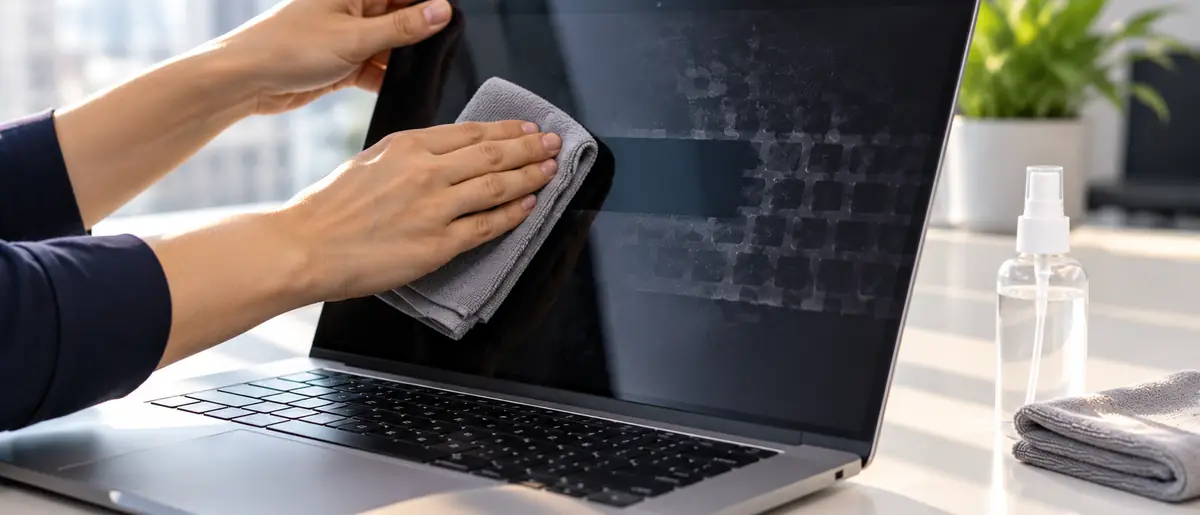
Safe cleaning
Microfibre only, cloth dampened not sprayed, no pressure on the panel.
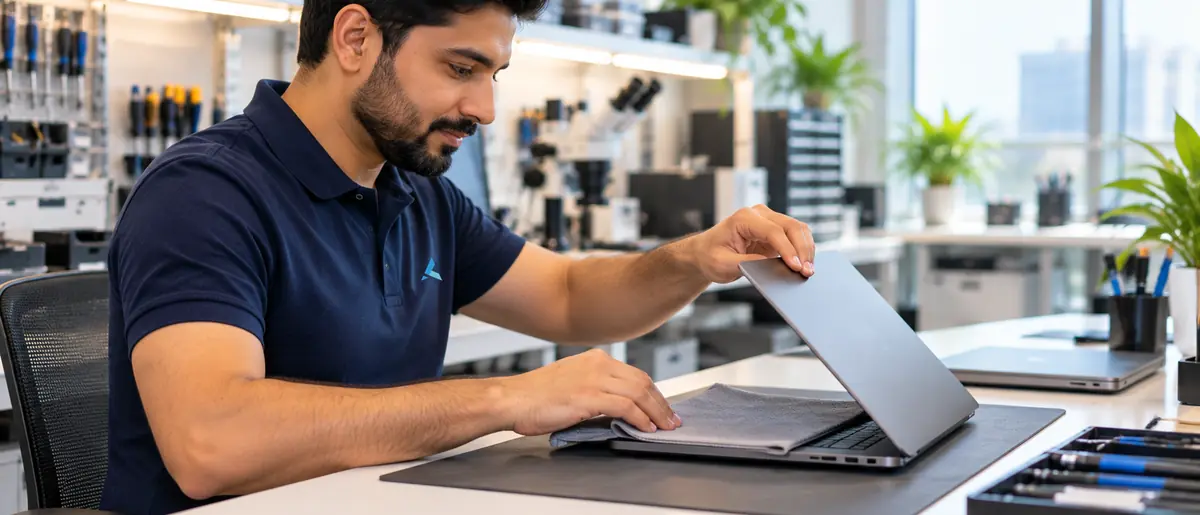
Prevention
A keyboard cover sheet and clean hands stop the transfer entirely.
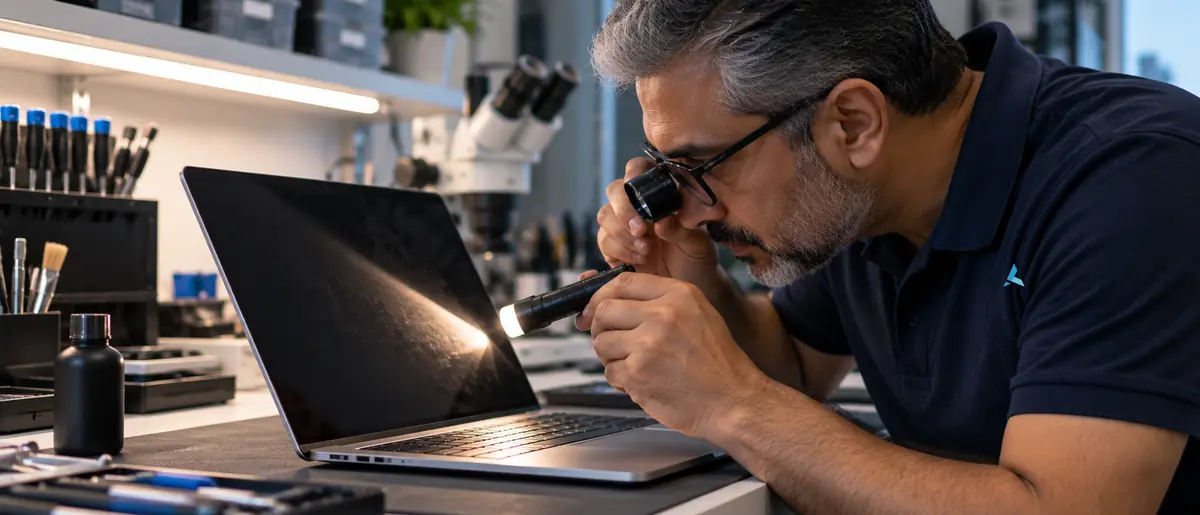
Coating check
We inspect under angled light to tell deposits from coating wear.
Key takeaways
Key takeaways
- Keyboard marks on a MacBook screen are oil and dust pressed onto the display coating by the keys when the lid is closed.
- A dry microfibre cloth removes fresh marks; a lightly dampened cloth with a 50/50 isopropyl mix handles set-in ones.
- Sprays, glass cleaners, paper towels and anything with ammonia damage the anti-reflective coating and can turn marks into permanent patches.
- A thin microfibre sheet between keyboard and screen when the lid is closed stops the marks returning.
- If the marks stay after cleaning, the coating itself has worn and only a display replacement removes them.
- Coating wear does not affect the panel underneath; the screen still works, it just looks marked in reflections.
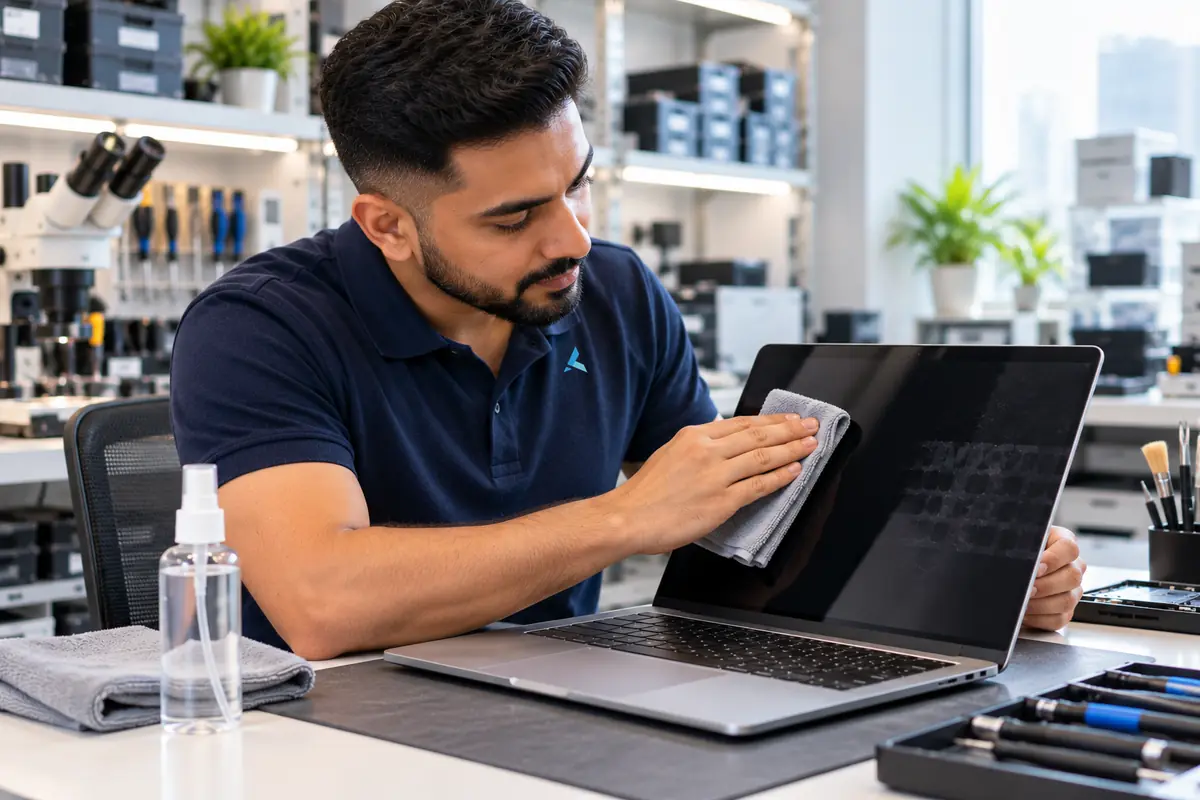
If that did not fix it
Marks that survive the wipe
Hold the dark screen under a lamp at a low angle. Film from the keys shows as a glossy smear that moves as you tilt. Worn coating shows as a matte rectangle that stays put at every angle, and that is the anti-reflective layer rubbed through. Only a new display assembly removes it.
Before quoting we also check two things people take for keyboard marks: coating delamination spreading in from the edges, common on 2015 to 2019 models, and pressure marks from a charger pressed against the lid in a bag. Send a photo under a lamp and tell us the year.
Why the marks appear
The keys and the screen almost touch, so whatever is on the keys ends up on the glass.
Safe cleaning
Microfibre only, cloth dampened not sprayed, no pressure on the panel.
Prevention
A keyboard cover sheet and clean hands stop the transfer entirely.
Coating check
We inspect under angled light to tell deposits from coating wear.
Replacement
Genuine-spec display assemblies for every MacBook Air and Pro model.
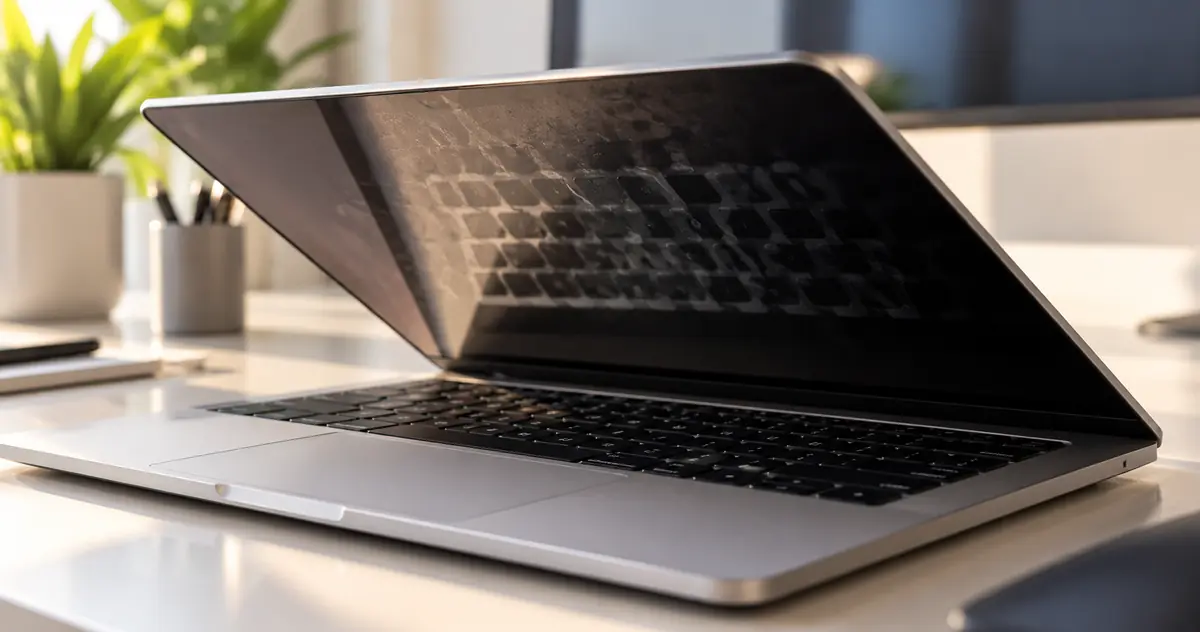
Closed MacBooks leave a fraction of a millimetre between the keycaps and the display. Skin oil, hand cream and dust on the keys transfer to the screen every time the lid is shut, and in Dubai's heat that film sets faster than in cooler climates.
The display carries an anti-reflective coating that is softer than the glass under it. Oil sits on the coating, dust grinds into it, and abrasive cleaning removes it in patches. The panel below is fine, which is why a marked screen still displays perfectly.
The full answer
Greasy lines where the keys touched the display? Here's why it happens and how to remove the marks safely.
Keyboard marks on a MacBook screen are caused by oils and dust transferring from the keys onto the display when the laptop is closed. Apple's tight tolerances mean the keys nearly touch the screen on the 13- and 14-inch models. Over time those imprints can become permanent if dirt scratches the anti-reflective coating. To clean them: shut down the MacBook, unplug it, and wipe gently with the Apple Polishing Cloth or a 50/50 isopropyl alcohol mix on a microfiber cloth. Never spray liquid directly.
Avoid paper towels, glass cleaners, or anything with ammonia. To prevent recurrence, place a thin microfiber sheet between the keyboard and the screen when storing the laptop, and wash your hands before typing. If the coating is already damaged, Apple's anti-reflective replacement program may cover it. Bring it in - we'll inspect for coating wear and quote a screen replacement if needed.
Marks on the screen are the keyboard's fault, but so are keys that misbehave: resetting Mac keyboard keys fixes stuck or remapped keys without a repair.
A key that types its letter twice usually has debris under the switch; our MacBook double-typing fix covers what to try before booking a visit.
Pressure from the keys can also crack a panel outright; these are the five common ways MacBook screens crack.
If the coating is already gone, see whether a damaged MacBook screen can be fixed or needs a full lid.
How to clean keyboard marks off a MacBook screen safely
- 1Shut the MacBook down and unplug it so the screen is dark and the marks are easy to see.
- 2Wipe with a dry, clean microfibre cloth in straight lines from top to bottom. Fresh marks come off here.
- 3For set-in marks, dampen a second microfibre cloth with a 50/50 mix of isopropyl alcohol and water. Wring it out; it must not drip.
- 4Wipe gently with the damp cloth, then immediately dry with the first cloth.
- 5Never spray anything onto the screen, and never use paper towels, kitchen cloths, glass cleaner or products containing ammonia or acetone.
Stopping the marks coming back
A thin microfibre keyboard cover, laid over the keys before the lid closes, is the single most effective step. Wash hands before long typing sessions, keep hand cream away from the keyboard, and do not carry the closed MacBook with anything pressing on the lid, which forces the keys harder into the screen.
When cleaning does not work
If the outlines remain after a careful damp wipe, the coating has worn where the keys touched. Nothing restores worn coating; polishing compounds make it worse. Apple ran a coating replacement programme for some earlier models that has now ended. For those and for every current model, the fix is a display assembly replacement, which we quote after a free inspection.
How Azizi Technologies handles this in Dubai
- Free intake diagnosis at our Dubai Media City or Bur Dubai workshop (or via WhatsApp photos).
- Written AED price quote before any work begins - no surprises, no hidden fees.
- Apple Certified Mac Technician on every Mac job; brand-trained technicians for Windows and Linux.
- 90-day parts-and-labour warranty on every repair.
- Walk-in only, no appointment: Media City for Marina, JLT and Jumeirah, Bur Dubai for Karama, Deira and Downtown.
- Same-day service on most common jobs walked in before 11:00.
Clean it or replace it
Cleaning keyboard marks vs replacing a coated MacBook display
Marks that wipe away are surface deposits. Marks that stay are the coating, and no cleaner brings it back.
| What matters | Careful cleaning at home | Display replacement at Azizi |
|---|---|---|
| Faint greasy key outlines | Dry microfibre, then a damp wipe. Gone. | Not needed. |
| Marks return every few days | Clean, then use a keyboard cover sheet. | Not needed. |
| Marks remain after cleaning | Coating is worn. Cleaning cannot fix it. | New display assembly, tested and colour-checked, free diagnosis first. |
| Patches, flaking or a rainbow sheen | Stop cleaning; it spreads. | Replacement with a written quote before work. |
| Risk to the panel | High with sprays or pressure. | None; handled on a bench with the correct parts. |
| Turnaround | Minutes. | Usually same day when the panel is in stock. |
Vendor neutral
Platforms We Support
The device maker and the component vendors behind the repairs on our Dubai bench. Parts are named because grade matters more than the price on the sticker.
- AppleMacBook Air, MacBook Pro, iMac, Mac mini and Mac Studio across Intel, T2 and Apple silicon.
- SamsungNVMe SSDs for upgrades on older Intel Macs, and the NAND we recover data from on soldered boards.
- CrucialSSD and memory upgrades on the Macs that still take them, with the data migrated as part of the job.
- KingstonSSD and memory alternatives to the Samsung and Crucial parts.
- Western DigitalExternal and NAS drives we use for pre-repair backups and as migration targets.
- SeagateBackup and archive drives for the data we copy off a device before it is opened.
Finding us
Office 45, Concord Tower
Azizi Technologies operates two Dubai locations: the main workshop at Office 45, 10th floor of Concord Tower in Dubai Media City, and a second office at the IT Center Building in Bur Dubai. Concord Tower is a short walk from Dubai Internet City metro, with visitor parking on site (first 15 minutes free, then paid).
No appointment is needed during workshop hours, Mon-Sat 9AM-7PM, Fri break 12-2PM · Sun closed. Walk in with the device for a free diagnosis. Repairs are walk-in only; send photos on WhatsApp first if you want the likely cost before the trip.

Walk in, no appointment
Free diagnosis at either Dubai workshop during workshop hours. We no longer collect repairs; businesses on an AMC can hand devices to the engineer on a scheduled visit.

How a repair runs
Diagnosis first, then a written quote before any work starts, then the repair, tested and returned with the work covered by our warranty.
FAQ
Frequently asked questions
9 direct answers from the Azizi Technologies team.
Are keyboard marks on a MacBook screen permanent?
What is safe to clean a MacBook screen with?
Does a keyboard cover damage a MacBook screen?
Can Azizi Technologies remove keyboard marks from my screen?
Why does my MacBook screen have marks in a keyboard pattern?
How do I tell coating wear from a smudge?
Will a screen protector hide worn coating?
Does carrying the MacBook in a tight bag cause these marks?
What are your workshop hours and locations?
Standards and official sources
Authoritative references
We align delivery with official guidance where it applies. These are non-competitor sources we use for standards, platform rules and regulatory context.
Explore More Services
Other services we run across Dubai and the UAE.
Talk to the MacBook Screen Replacement team
MacBook Screen Replacement Dubai: request a quote
Need help with your Mac or laptop? Contact Azizi Technologies - Dubai's trusted repair experts since 2007. We respond during workshop hours with a written AED quote and the nearer of our two walk-in workshops.
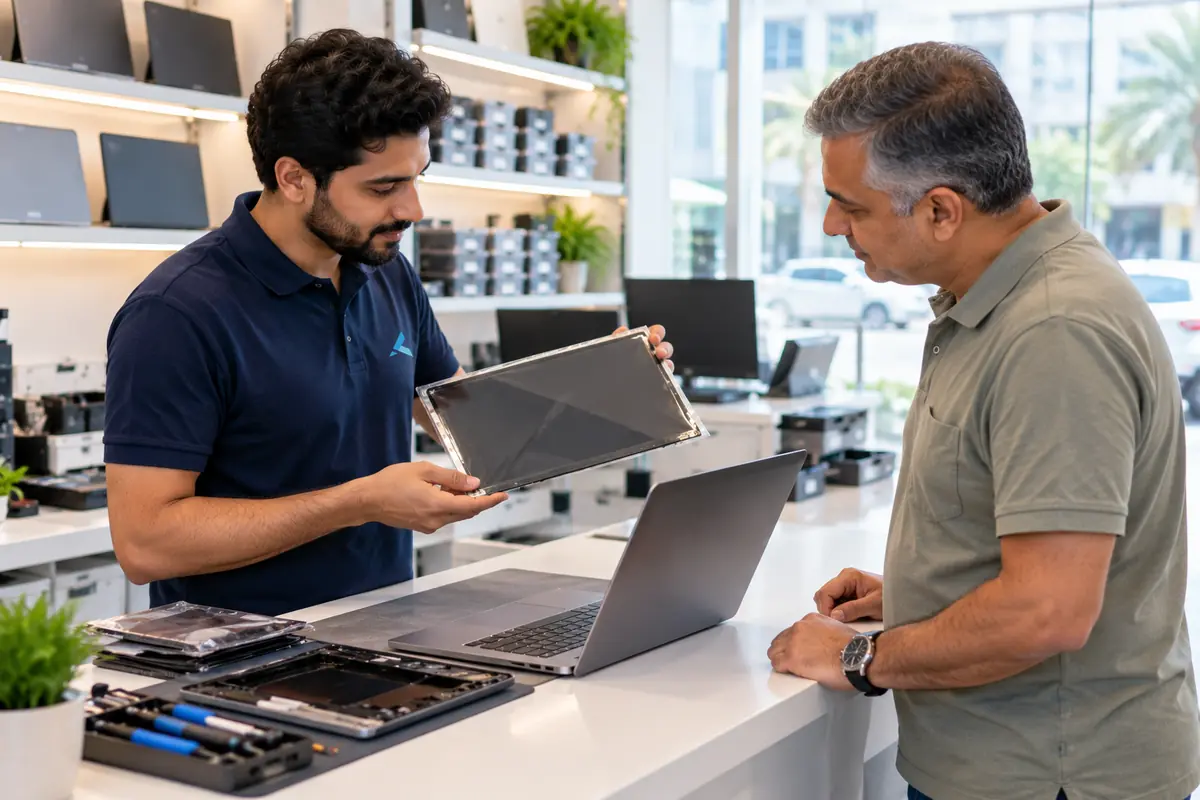

Two Dubai offices, both walk-in
Concord Tower in Media City and the IT Center Building in Bur Dubai, Monday to Saturday 9:00 to 19:00.
Find our officesIT AMC Dubai: one written SLA for the whole estate
IT annual maintenance contracts with response times in the contract, for offices with or without in-house IT.
IT AMC in DubaiGet a quote
What needs fixing?
Four short steps, about a minute. Tell us the job once and we reply on WhatsApp with a price or a written scope, not a call-back.
4.9 stars from 645 Google reviews. Most enquiries answered within minutes during opening hours.
Read them on GoogleMeet the engineers
Real engineers. Real accountability.
Every job is handled by a certified engineer, the same people clients name in our Google reviews.
IT Support Lead
Usman K., thanked by name in our Google reviews
Microsoft Certified
10+ yrs experience
Senior Apple Repair Engineer
Shafeeq Ur Rehman, owner, on the Mac repair and micro-soldering bench
Apple-certified diagnostics · Board-level repair
12+ yrs experience
Network & Security Lead
Infrastructure and firewall team
Cisco CCNA
14+ yrs experience
Data Recovery Engineer
Drive imaging and board-level recovery bench
PC-3000 toolchain
9+ yrs experience
Find your nearest Azizi Technologies workshop
Walk in to either Dubai branch for a free diagnosis, or book a visit. Visitor parking at Concord Tower (first 15 minutes free, then paid) (Dubai Media City).
Dubai Media City
Concord Tower, Office 45, 10th Floor. Mon-Sat 09:00-19:00 (Fri break 12:00-14:00). Closed Sunday.
Bur Dubai
G 58, IT Center Building, 21 21A Street. Mon-Sat 09:00-19:00 (Fri break 12:00-14:00). Closed Sunday.
Azizi Technologies
The numbers behind the Media City workshop
- Google rating
- 4.9★
- Verified reviews
- 645
- In Dubai since 2007
- 19 years
- On-site response SLA
- 4 hours
- Remote first response
- 15 minutes
- Dubai walk-in offices
- 2
Verified Google reviews
What MacBook Repair customers say
4.9 stars from 645 Google reviews across both Dubai workshops.
“Fast, convenient and effective service. They fixed my MacBook keyboard issues in less than 24hrs”
Luu
MacBook keyboard repair · Local Guide
“I spilled a whole glass of water on my MacBook and Azizi technologies fixed it so quickly in one day at a great price and it’s as good as new”
sarah
MacBook water damage · Google
“Shafeeq is an incredible technician! This has been completed within 24 hours of me asking for a replacement screen. Really good service, I highly recommend their services!”
Ritchie Thomas
MacBook screen · Local Guide