
Q&A · Mac Mini Repair Dubai
Mac Mini M4 Dell Monitor Fix
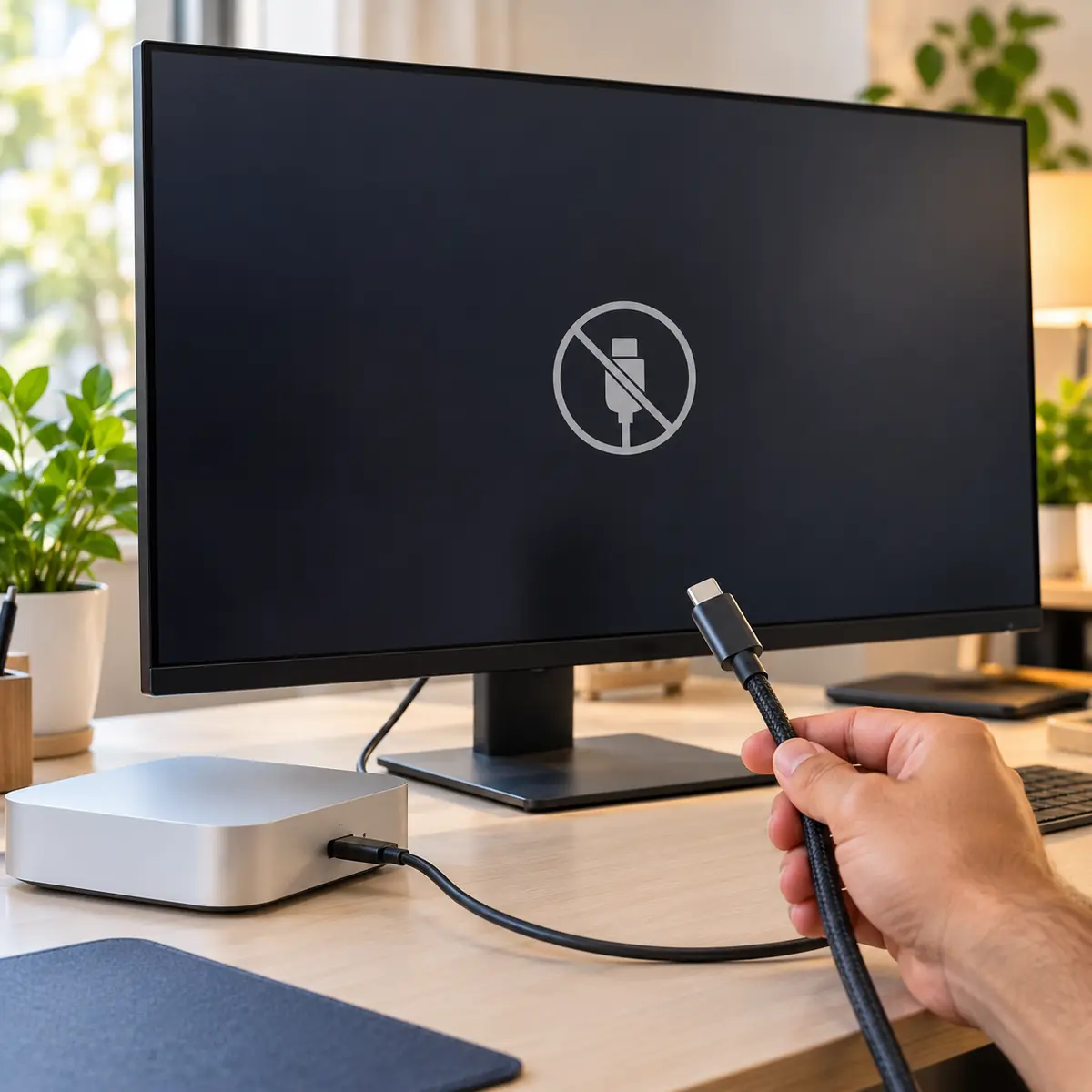
Mac mini M4 not detecting a Dell S2725QC over USB-C? Cable, monitor firmware and EDID handshake fixes that work. WhatsApp us if it still fails.
4.9 · 645 reviewsTwo Dubai workshopsMon-Sat 9AM-7PM19 years in Dubai
Quick answer
- Main workshop
- Concord Tower, Media City
- Second office
- IT Center Building, Bur Dubai
- In Dubai since
- 2007
- Google rating
- 4.9 from 645 reviews
- Hours
- Mon-Sat 9AM-7PM
- Enquiries
- WhatsApp or use the quote form on this page
If that did not fix it
Dell still shows no signal
An S2725QC that stays on No Signal after the Dell cable, a firmware update and a cold restart almost always has its USB-C port set to the wrong mode in its own menu. Set USB-C Prioritization to High Resolution rather than High Data Speed, and set the input source to USB-C rather than auto, which on this model can lock onto an empty HDMI input.
If the monitor shows the Mac's picture over HDMI but never over USB-C, the Dell's USB-C port is the fault and that is a Dell warranty matter. If neither input works from the Mac mini but another computer is fine, bring the mini in.
A 4K USB-C monitor and a Mac mini
Plug and play usually works, until the cable is the wrong one.
The Dell S2725QC is a 27-inch 4K USB-C display that normally pairs with Apple silicon without any configuration. When it does not, the supplied lead and any third-party replacement are the first things to check, because a cable rated only for power will not carry a 4K signal.
Work through it in order rather than changing several things at once. Cable, then port, then resolution and refresh settings, isolates the cause far faster than swapping hardware.
Verify the lead is rated for video and not for power only.
Move to a different Thunderbolt port to rule that one out.
Check resolution and refresh rate in System Settings.
We test monitor and Mac together at our Dubai workshop.
The full answer
Dell S2725QC plugged in but Mac mini M4 sees no signal? Three known fixes.
The Dell S2725QC is a 27" 4K USB-C monitor that typically works plug-and-play with Apple silicon - but a few issues come up with the Mac mini M4. Fix in this order. 1) Cable: the S2725QC ships with a USB-C cable rated only for video + 65 W power; if you're using a third-party cable, verify it's USB-C with DisplayPort Alt Mode (most generic ones aren't). Use the Dell-supplied cable to test. 2) Firmware: update the S2725QC firmware via Dell Display Manager (Mac version available).
Older firmware misses EDID for some Apple silicon configurations. 3) USB-C port choice: connect to a different Thunderbolt 4 port on the Mac mini. The S2725QC negotiates power and video at handshake; if the Mac mini was sleeping when the cable went in, it may not renegotiate - unplug for 30 seconds, replug. 4) Reset SMC equivalent (full shutdown, unplug 30s). 5) Check System Information → Graphics/Displays.
We test displays at our Dubai workshop.
For blur on a laptop's built-in panel rather than an external monitor, read our M1 MacBook Pro 16 blurry-screen guide.
If a USB optical drive is the device macOS will not see, the steps differ; follow our guide to a Mac that cannot find an external CD drive.
From the bench: what we see with this one
This monitor arrives on the Media City bench often enough that we keep one for testing, and the pattern is consistent: it works from a MacBook over the same cable and fails from a Mac mini M4. The reason is the handshake order. The mini powers its ports before the monitor has finished waking, and the Dell's USB-C controller misses the DisplayPort negotiation. Powering the monitor on first, then the Mac, usually clears it, and so does disabling the monitor's Deep Sleep option.
Keep the Dell-supplied cable with the monitor. The USB-C leads sold alongside the Mac mini in local shops are mostly charge-rated, and the S2725QC is strict about the e-marker chip it expects for a full 4K 60 Hz link.
How Azizi Technologies handles this in Dubai
- Free intake diagnosis at our Dubai Media City or Bur Dubai workshop (or via WhatsApp photos).
- Written AED price quote before any work begins - no surprises, no hidden fees.
- Apple Certified Mac Technician on every Mac job; brand-trained technicians for Windows and Linux.
- 90-day parts-and-labour warranty on every repair.
- Walk-in only, no appointment: Media City for Marina, JLT and Jumeirah, Bur Dubai for Karama, Deira and Downtown.
- Same-day service on most common jobs walked in before 11:00.
Finding us
Office 45, Concord Tower
Our main workshop is Office 45 on the 10th floor of Concord Tower in Dubai Media City, with a second Azizi Technologies office at the IT Center Building in Bur Dubai. The nearest metro to Concord Tower is Dubai Internet City, and there is visitor parking (first 15 minutes free, then paid) if you drive.
No appointment is needed during workshop hours, Mon-Sat 9AM-7PM, Fri break 12-2PM · Sun closed. Walk in with the device for a free diagnosis. Repairs are walk-in only; send photos on WhatsApp first if you want the likely cost before the trip.

Walk in, no appointment
Free diagnosis at either Dubai workshop during workshop hours. We no longer collect repairs; businesses on an AMC can hand devices to the engineer on a scheduled visit.

How a repair runs
Diagnosis first, then a written quote before any work starts, then the repair, tested and returned with the work covered by our warranty.
FAQ
Frequently asked questions
4 direct answers from the Azizi Technologies team.
Does the Dell S2725QC charge or power anything from the Mac mini?
Why is the S2725QC stuck at 30 Hz on the Mac mini M4?
Can I use HDMI instead of USB-C for this monitor?
What are your workshop hours and locations?
Explore more from Azizi Technologies
Official sources
Non-competitor sources we use for standards, platform rules and regulatory context.
Talk to the Mac Mini Repair team
Next step
Mac Mini Repair Dubai
Need help with your Mac or laptop? Contact Azizi Technologies - Dubai's trusted repair experts since 2007. We respond during workshop hours with a written AED quote and the nearer of our two walk-in workshops.


Two Dubai offices, both walk-in
Concord Tower in Media City and the IT Center Building in Bur Dubai, Monday to Saturday 9:00 to 19:00.Find our offices
IT AMC Dubai: one written SLA for the whole estate
IT annual maintenance contracts with response times in the contract, for offices with or without in-house IT.IT AMC in DubaiGet a quote
What needs fixing?
Four short steps, about a minute. Tell us the job once and we reply on WhatsApp with a price or a written scope, not a call-back.
4.9 stars from 645 Google reviews. Most enquiries answered within minutes during opening hours.
Read them on GoogleMeet the engineers
Real engineers. Real accountability.
Every job is handled by a certified engineer, the same people clients name in our Google reviews.
IT Support Lead
Usman K., thanked by name in our Google reviews
Microsoft Certified
10+ yrs experience
Senior Apple Repair Engineer
Shafeeq Ur Rehman, owner, on the Mac repair and micro-soldering bench
Apple-certified diagnostics · Board-level repair
12+ yrs experience
Network & Security Lead
Infrastructure and firewall team
Cisco CCNA
14+ yrs experience
Data Recovery Engineer
Drive imaging and board-level recovery bench
PC-3000 toolchain
9+ yrs experience
Finding us
Find your nearest Azizi Technologies workshop
Walk in to either Dubai branch for a free diagnosis, or book a visit. Visitor parking at Concord Tower (first 15 minutes free, then paid) (Dubai Media City).
Dubai Media City
Concord Tower, Office 45, 10th floor
Dubai Media City, Dubai
Find us in Concord Tower, Dubai Media City. Visitor parking at Concord Tower (first 15 minutes free, then paid).
Opening hours:
Mon to Sat: 9:00 to 19:00, Friday break 12:00 to 14:00
Sun: closed
Bur Dubai
G 58, IT Center Building, 21 21A Street
Bur Dubai, Dubai
Find us on the ground floor of the IT Center Building, with the walk-in repair counter.
Opening hours:
Mon to Sat: 9:00 to 19:00, Friday break 12:00 to 14:00
Sun: closed
Azizi Technologies
The numbers behind the Media City workshop
- Google rating
- 4.9★
- Verified reviews
- 645
- In Dubai since 2007
- 19 years
- On-site response SLA
- 4 hours
- Remote first response
- 15 minutes
- Dubai walk-in offices
- 2