

Mac mini storage · Intel 2014 and 2018 · M1 to M4 Pro · Dubai since 2007
Mac Mini SSD Upgrade in Dubai Internal Blade Swap or External Thunderbolt NVMe
Which era your Mac mini comes from decides the whole job. The 2014 Intel unit keeps a user-serviceable PCIe blade and a 2.5-inch SATA bay, so more internal storage is a swap. The 2018 Intel unit and the M1, M2 and M2 Pro carry NAND soldered to the logic board, so capacity is decided at purchase and external Thunderbolt NVMe, configured to behave like internal storage is the honest answer. This page tells you which side of that line your machine sits on.
Two Dubai walk-in workshopsBlade swap, SATA bay or external NVMe4.9 · 645 reviews19 years in Dubai
Quick answer
- Walk-in workshops
- Media City + Bur Dubai
- 2014 Intel
- PCIe blade + 2.5-inch SATA bay
- 2018 Intel
- Soldered NVMe, board-level only
- M1 to M4 Pro
- External Thunderbolt NVMe
- Migration
- Carbon Copy Cloner, included
- Warranty
- 90 days on every upgrade
In short
What this service changes
Three things first, the detail below.

2014 Intel: serviceable
A PCIe blade slot plus an optional 2.5-inch SATA bay, so capacity is a physical swap.

2018 Intel: soldered
A soldered NVMe module whose capacity only changes through BGA controller work.

M1 to M4 Pro: no upgrade
Soldered on the M1 and M2, an Apple-paired module on the M4; no internal upgrade path.
Key takeaways
What you get, in six lines
The 2014 Intel Mac mini has user-serviceable internal storage: a PCIe blade in its own slot plus an optional 2.5-inch SATA drive in the lower bay.
On the 2018 Intel Mac mini the NVMe is soldered, so a capacity change becomes BGA controller work on the logic board, which is possible but not economically rational.
On the M1, M2 and M2 Pro the SSD is soldered to the board, and on the M4 and M4 Pro it is an Apple module paired to the chip; we do not upgrade either internally, and we say so before the machine is opened.
External Thunderbolt 4 NVMe measures 2,800 to 3,200 MB/s real-world sequential read on the Apple silicon units, faster than the base M1 internal drive and equivalent to the M2 and M4 Pro.
External storage is configured to behave like internal storage: APFS on a single container, with Photos, Final Cut Pro, Logic Pro, Lightroom, Premiere Pro and DaVinci Resolve re-pointed at it.
Data migration with Carbon Copy Cloner is included in every SSD job, and every upgrade carries a 90-day warranty.

Is the machine full, or is it faulty?
This page is about storage capacity only. If the Mac mini itself is misbehaving, or the existing drive has already failed and the data matters more than the upgrade, those are different jobs.
Storage on the Mac mini, era by era
One question, two opposite answers
Two Mac mini families arrive with the same request and leave with different jobs. The 2014 Intel Mac mini keeps a user-serviceable PCIe blade in a dedicated slot and an optional 2.5-inch SATA drive in the lower bay, both reachable with Torx and Spudger tooling. Every generation after it moved storage onto the logic board.
On the 2018 Intel unit the NVMe is soldered, so changing capacity means work on the BGA SSD controller rather than a swap. On the M1, M2, M2 Pro, M4 and M4 Pro the SSD is soldered too and cannot be upgraded internally at all. That is why this is a decision before it is a job: identify the era, then choose between a blade, board-level work we usually advise against, and external Thunderbolt NVMe set up to behave like internal storage.
A PCIe blade slot plus an optional 2.5-inch SATA bay, so capacity is a physical swap.
A soldered NVMe module whose capacity only changes through BGA controller work.
Soldered on the M1 and M2, an Apple-paired module on the M4; no internal upgrade path.
Thunderbolt 4 NVMe measured at 2,800 to 3,200 MB/s real-world sequential read on the Apple silicon units.
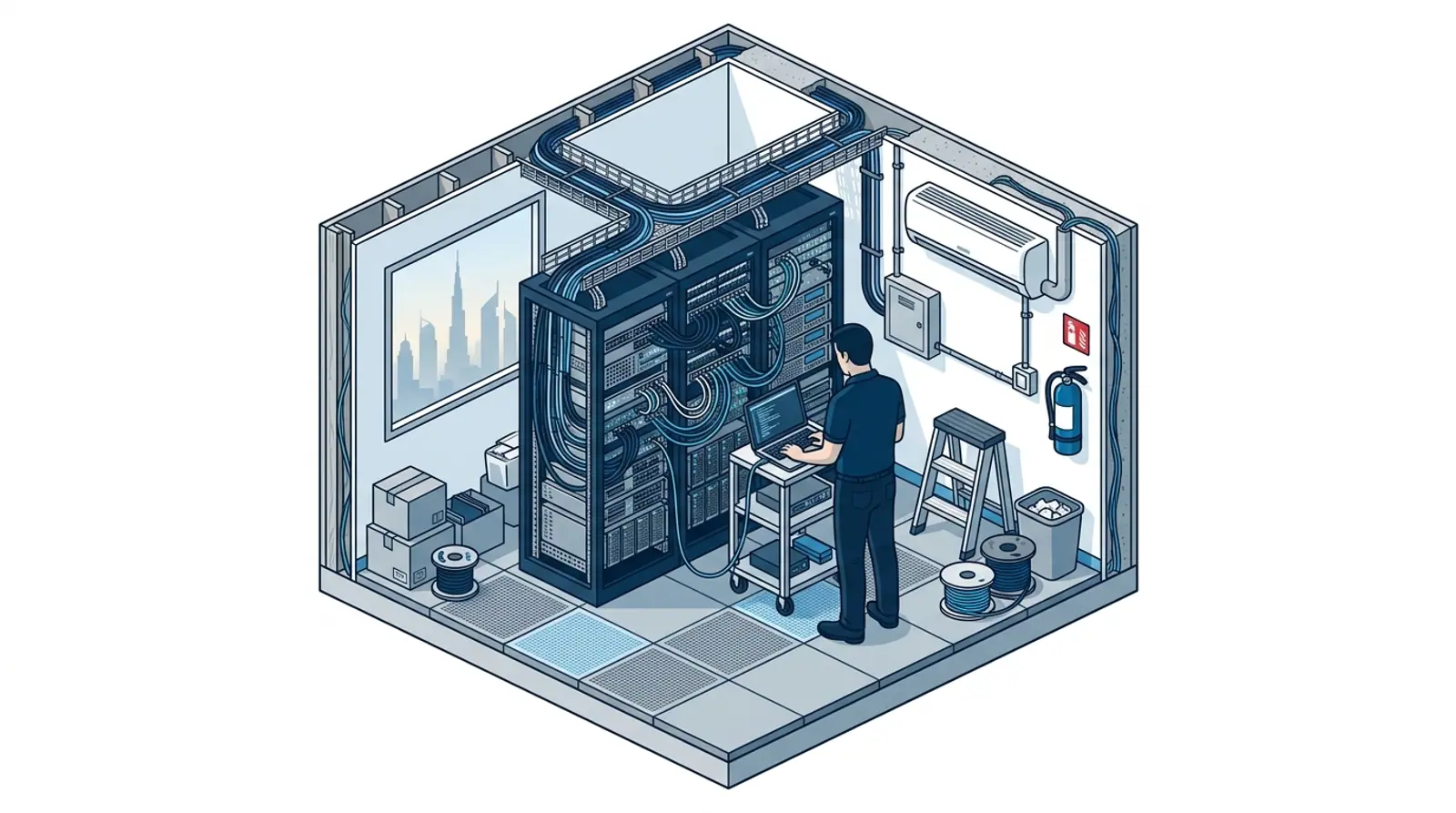
Mac mini storage work we do
Six storage jobs, split across two eras
What the Mac mini storage bench in Dubai actually does, from a blade swap on a 2014 unit to an external Thunderbolt volume that a soldered M4 Pro treats as home.
2014 PCIe Blade SSD Swap
The dedicated blade slot on the 2014 Intel Mac mini, opened with Torx and Spudger tooling, fitted with a new NVMe blade and macOS reinstalled.
2014 Second Bay, 2.5-inch SATA
The optional lower bay on the same machine, populated with a Samsung 870 EVO or a Crucial MX500 as a second volume alongside the blade.
Fusion Drive Retirement
A Disk Utility wipe and Time Machine restore, so the replacement arrives as a clean APFS container instead of the legacy CoreStorage Fusion volume.
2018 Intel: Soldered NVMe
Storage is a soldered NVMe module with a BGA controller. Changing capacity means board-level work, which is possible but not economically rational, so external Thunderbolt NVMe is what we recommend.
Apple Silicon External Extension
Thunderbolt 4 NVMe storage on M1, M2, M2 Pro and M4, or Thunderbolt 5 on the M4 Pro, set up to behave like internal storage rather than a plug-in disk.
Migration and App Re-targeting
Carbon Copy Cloner or SuperDuper migration, then Photos, Final Cut Pro, Logic Pro, Lightroom, Premiere Pro and DaVinci Resolve re-pointed and launch-tested.
Internal upgrade vs external Thunderbolt NVMe
The two paths, side by side
The two paths this page compares, not a comparison of workshops. Which column applies to you is decided by the machine, not by preference.
| Internal upgrade (2014 Intel) | External Thunderbolt NVMe (2018 Intel and Apple silicon) | |
|---|---|---|
| Machines it applies to | The 2014 Intel Mac mini | The 2018 Intel Mac mini and every Apple silicon unit, M1 to M4 Pro |
| What is inside | A PCIe blade in its own slot plus an optional 2.5-inch SATA bay | NAND soldered to the logic board, with a BGA SSD controller on the 2018 unit |
| Work involved | Blade and SATA drive fitted with Torx and Spudger tooling, macOS reinstalled | Drive supplied or client-supplied, formatted APFS on a single container |
| Speed after the job | Boot from sixty seconds on a 1TB Fusion Drive to sixteen seconds on 1TB NVMe | Thunderbolt 4 NVMe measures 2,800 to 3,200 MB/s real-world sequential read on the Apple silicon units. The 2018 Intel unit runs Thunderbolt 3 |
| How data comes across | Carbon Copy Cloner 1:1 bootable clone, checked to boot clean before re-cloning | Carbon Copy Cloner or SuperDuper move the user library, Photos library and selected app data |
| Where apps point afterwards | macOS and applications stay on the internal drive | Photos, Final Cut Pro, Logic Pro, Lightroom, Premiere Pro and DaVinci Resolve re-pointed at the new location |
| How the job is verified | The clone is booted and validated before anything is re-cloned | A full app launch and use cycle, plus a Blackmagic Disk Speed Test report on a USB stick |
| Warranty | 90 days on the upgrade | 90 days on the upgrade |

How a storage job runs
Four steps, starting with which Mac mini you own
- 01
Identify the generation
A 2014 Intel unit has a serviceable blade and a SATA bay. The 2018 Intel unit and the M1, M2 and M2 Pro carry soldered storage, and the M4 and M4 Pro use an Apple-paired module. That single fact decides the rest.
- 02
Choose the path
Internal blade, board-level work on a soldered controller, or external Thunderbolt NVMe. We ask what the machine is actually used for before recommending a capacity, because the storage strategy has to fit the workflow.
- 03
Fit or configure the storage
The blade slot and SATA bay are opened with Torx and Spudger tooling and macOS is reinstalled. External drives are formatted APFS, case-insensitive, on a single container.
- 04
Migrate, re-point and verify
Carbon Copy Cloner clones the existing system and the clone is checked to boot clean. On the external path the creative apps are re-pointed and launch-tested, and a Blackmagic Disk Speed Test report goes home on a USB stick. Every upgrade carries a 90-day warranty.
Vendor neutral
Drives and Tools on the Mac Mini Storage Bench
The external drives we supply, the internal drives that go into a 2014 bay, and the migration software behind every Mac mini storage job in Dubai.
- Carbon Copy ClonerCreates the 1:1 bootable clone that carries your existing system onto the new drive.
- SuperDuperThe alternative migration route for the user library, Photos library and selected app data.
- Samsung T9Portable Thunderbolt 4 NVMe, the 2TB option on the Apple silicon external path.
- OWC Envoy Pro FXThe 4TB external option, supplied and configured to behave like internal storage.
- LaCie Rugged SSD ProThe 8TB external option for the largest working sets we set up on a Mac mini.
- Samsung 870 EVO and Crucial MX500The 2.5-inch SATA drives that go into the lower bay of a 2014 Intel Mac mini.
Finding us
Two Mac mini storage benches, both walk-in
Either Mac mini service center takes walk-ins: Concord Tower on the 10th floor in Dubai Media City, and the IT Center Building in Bur Dubai. Hours are Monday to Saturday 09:00 to 19:00, with a Friday break from 12:00 to 14:00, closed Sunday. Concord Tower has visitor parking (first 15 minutes free, then paid); in Bur Dubai it is paid street parking on 21A Street or the BurJuman car park.
Message us the model year and the capacity you are running out of before you travel, because the external drive is supplied to spec and we would rather it was on the bench when you arrive. The Mac mini is the most flexible Apple desktop in Dubai SMB environments precisely because it pairs with whatever display the office already owns, so we ask what the machine is doing before recommending a storage spec. For offices fleeting three or more Mac minis we run the setups in one workshop visit at Concord Tower or the IT Center Building.

Which workshop to use
Concord Tower in Media City is nearer for Studio City, Tecom, JLT, Dubai Marina, Internet City, JBR, Knowledge Park, DHCC and Palm Jumeirah. The IT Center Building is nearer for Bur Dubai, Karama, Deira, Downtown, Business Bay and DIFC. Offices on an AMC can have the engineer take the minis back on the scheduled visit.
What to bring
The Mac mini and its power cable, and the model year if you know it. If you already own an external drive you want used, bring it: client-supplied drives are accepted on the Apple silicon path. Walk in to either workshop Monday to Saturday 09:00 to 19:00, with a Friday break from 12:00 to 14:00. If the machine still boots, back it up first, because a storage job should never be the first time your data is copied.
Mac mini SSD upgrade FAQs
What people ask before upgrading Mac mini storage
10 straight answers on which generations can be upgraded internally, what happens on a soldered unit, how fast external Thunderbolt storage really is, and what happens to your data.
Can the SSD in a Mac mini be upgraded in Dubai?
Which Mac mini generations have soldered storage?
What can be done about a 2018 Intel Mac mini?
Is external storage a compromise on an Apple silicon Mac mini?
How do you make an external drive behave like internal storage?
What does an internal upgrade change on a 2014 Mac mini?
What happens to my data during a Mac mini SSD upgrade?
My Mac mini still runs a Fusion Drive. What happens to it?
The existing drive has already failed. Can you still help?
Where is your Mac mini service centre in Dubai, and what are the hours?
Explore more from Azizi Technologies
Official sources
Non-competitor sources we use for standards, platform rules and regulatory context.
Tell us the model year, we will tell you the path
Next step
Mac Mini SSD Upgrade Dubai
Send the Mac mini generation and the capacity you are running out of, and you get the honest answer on whether it can be upgraded internally at all before anything is ordered or opened, so the trip to the workshop is for the upgrade itself.


Two Dubai offices, both walk-in
Concord Tower in Media City and the IT Center Building in Bur Dubai, Monday to Saturday 9:00 to 19:00.Find our offices
IT AMC Dubai: one written SLA for the whole estate
IT annual maintenance contracts with response times in the contract, for offices with or without in-house IT.IT AMC in DubaiGet a quote
Tell us your Mac mini model year and how much storage you need
Two taps and your email. Tell us the Mac mini model year and the capacity you are running out of, and we reply with the path and a turnaround.
4.9 stars from 645 Google reviews. Most enquiries answered within minutes during opening hours.
Read them on GoogleMeet the engineers
Real engineers. Real accountability.
The Mac mini storage bench is run by the senior Apple repair engineer clients name in our Google reviews.
Senior Apple Repair Engineer
Shafeeq, named in our Google reviews
Apple-Certified Diagnostics · JBC NASE-2C
12+ yrs experience
Finding us
Both Mac mini storage workshops in Dubai
Walk in to either workshop with the Mac mini, no appointment needed. Concord Tower in Media City has visitor parking (first 15 minutes free, then paid); in Bur Dubai it is paid street parking on 21A Street or the BurJuman car park.
Dubai Media City
Concord Tower, Office 45, 10th floor
Dubai Media City, Dubai
Find us in Concord Tower, Dubai Media City. Visitor parking at Concord Tower (first 15 minutes free, then paid).
Opening hours:
Mon to Sat: 9:00 to 19:00, Friday break 12:00 to 14:00
Sun: closed
Bur Dubai
G 58, IT Center Building, 21 21A Street
Bur Dubai, Dubai
Find us on the ground floor of the IT Center Building, with the walk-in repair counter.
Opening hours:
Mon to Sat: 9:00 to 19:00, Friday break 12:00 to 14:00
Sun: closed
Azizi Technologies
The Mac mini storage bench, in numbers
- Google rating
- 4.9★
- Verified reviews
- 645
- In Dubai since 2007
- 19 years
- 2014 boot time after an NVMe blade
- 16 sec
- Warranty on every upgrade
- 90 days
- Dubai walk-in workshops
- 2